Anchored questions and ratings, against your own criteria
Numbers alone hide the story, and a bare "rate Communication 1 to 5" means different things to different raters. Lynxify.me structures 360 feedback as anchored questions instead. Each competency you define breaks into specific questions, every question carries a short description of what a high rating actually means, and raters score them on a labelled scale you choose, with written answers alongside in the same form. Because everyone answers the same anchored questions, the results stay comparable, and each competency score is built up from the questions underneath it rather than left as one vague number.
Anchored questions per competency
Each competency breaks into specific questions, and every question carries a short description of what a high rating means, so raters read it the same way.
A rating scale you choose
Pick a labelled scale for the round, frequency, agreement, proficiency or a plain 1 to 10, so the report reads "4.2 = Often", not just a number.
Written answers alongside
Open-text questions capture the examples a score never will. Comments are optional and collapsed by default, so the form stays fast.
Build the questionnaire your way
A drag-and-drop builder to add, edit and reorder competencies, questions and intro text, set up fresh for each round.
Your own criteria, reused
Define competencies once at company level, reuse them across rounds, and pull a competency's questions back in so you are not rewriting them each time.
No opportunity to observe
A rater can mark a question as unobservable instead of guessing, so a partial answer stays candid and the score is not dragged down by a faked middle.
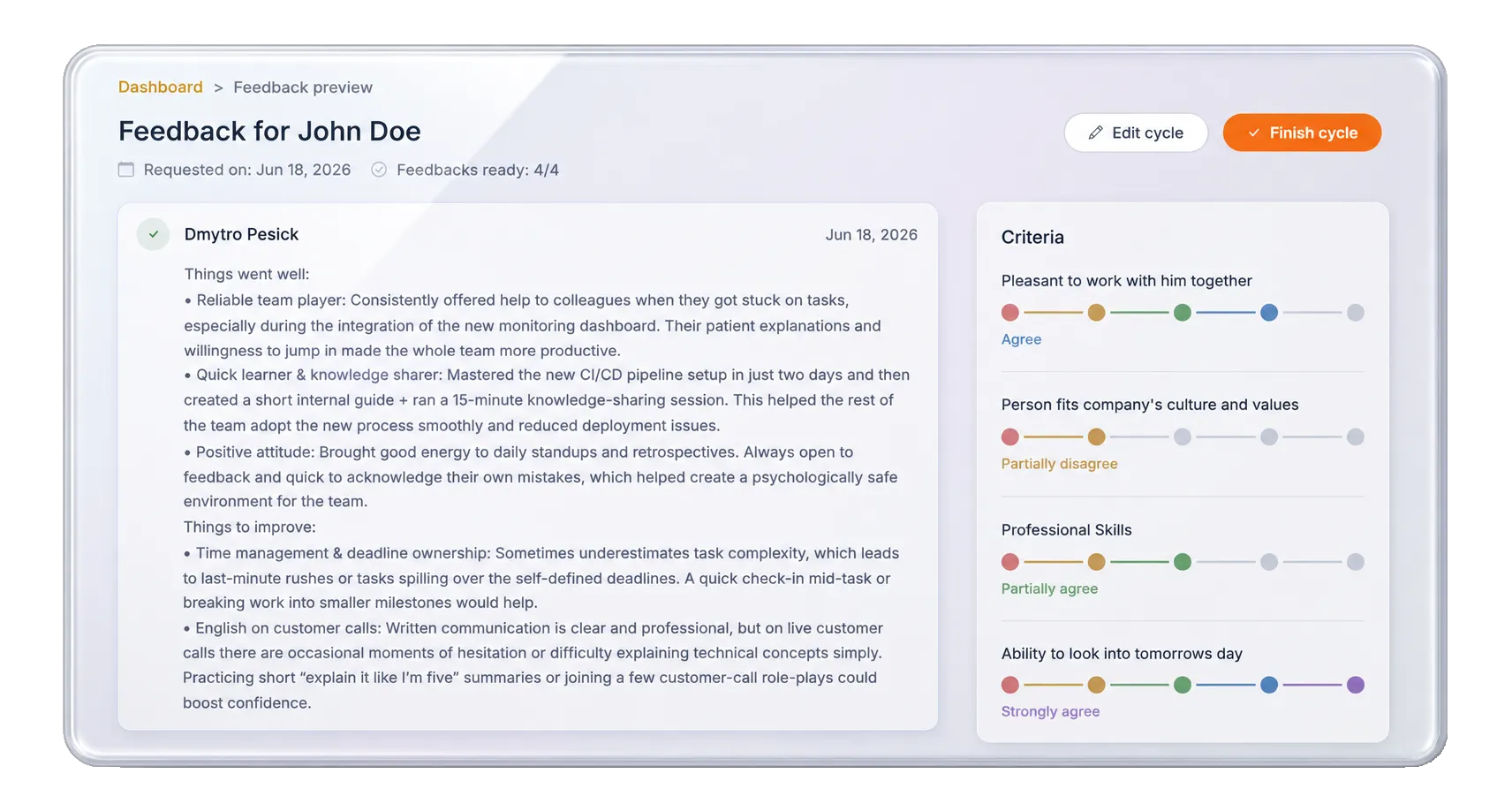
When you set up a round, you build its questionnaire in a drag-and-drop editor: pull competencies from your company set, break each into anchored questions, add any intro text, and choose the rating scale. The questionnaire is yours to shape while the round is still being set up.
Each rater then gets one form: ratings first, on the scale you chose, with an "add a comment" link under each competency for the ones they want to expand on. Progress auto-saves as they go, and anyone who has not worked with the person on a given question can mark it "no opportunity to observe" rather than inventing a score.
Run your first feedback round this week
Set up in minutes, completed without chasing, summarised automatically.